Get the app

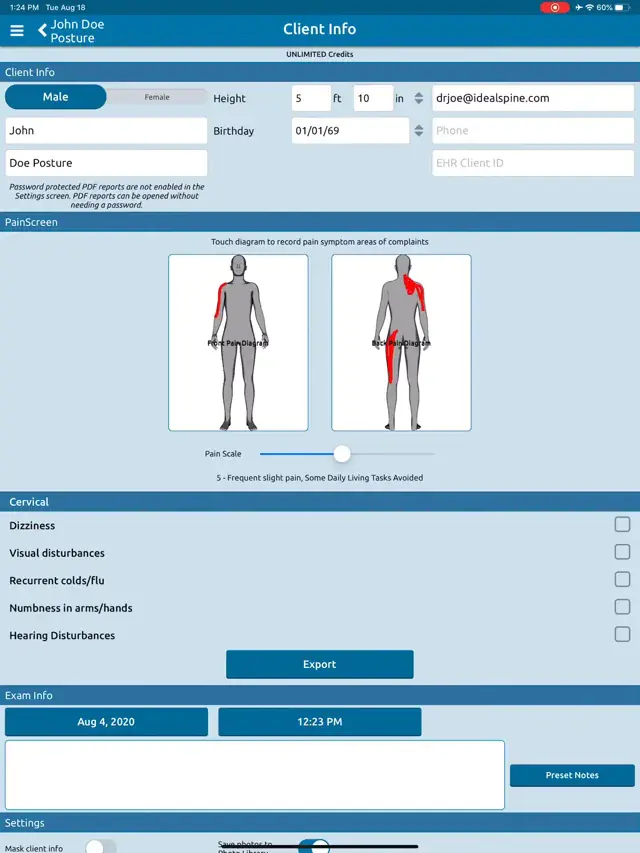
PainScreen pain diagram. Documented beside the exam.

PainScreen is the pain diagram inside PostureScreen®. It sits in your client’s exam list next to the posture exam, LeanScreen and range of motion, and has its own reports, including a pain diagram comparison.

Inside PostureScreen®iPhone and iPad

Part of PostureScreen®: $59.99 USD to start, with 30 days of unlimited use. Then the Unlimited Assessment Subscription, $24.99 USD/month or $249 USD/year, unlocks all assessment modules.

PainScreen at a glance

PainScreen is the pain diagram feature inside PostureScreen®, made by PostureCo, Inc., on iPhone and iPad. Each PainScreen is saved in the client’s exam list with its pain rating and front and back body diagrams, and produces Pain Diagram and Pain Diagram Comparison reports.

Who it’s for
Chiropractors, physical therapists, osteopaths, occupational therapists, sports medicine professionals, personal trainers, athletic trainers, strength and conditioning specialists, Pilates and yoga instructors, massage therapists, and other fitness and manual therapy professionals.
What it records
A pain diagram on front and back body outlines, with the pain rating shown in the exam list (for example, “Pain 5 out of 10”).
Platform
PostureScreen® on iPhone and iPad, with iOS 26 or iPadOS 26 or later.
Price
Part of PostureScreen®: a $59.99 USD download with 30 days of unlimited use. The Unlimited Assessment Subscription ($24.99 USD/month or $249 USD/year) unlocks all assessment modules.

Built for professionals who assess posture, movement, and body composition.

PainScreen is for personal trainers, physical therapists, chiropractors, Pilates instructors, osteopaths, gym and fitness professionals, occupational therapists, athletic trainers, yoga instructors, sports medicine professionals, strength and conditioning specialists and massage therapists.

Where it fits

Part of the exam,
not a separate form.

PainScreen lives in the same client record as your posture, body composition and range of motion assessments.

  • 01

    In the exam list

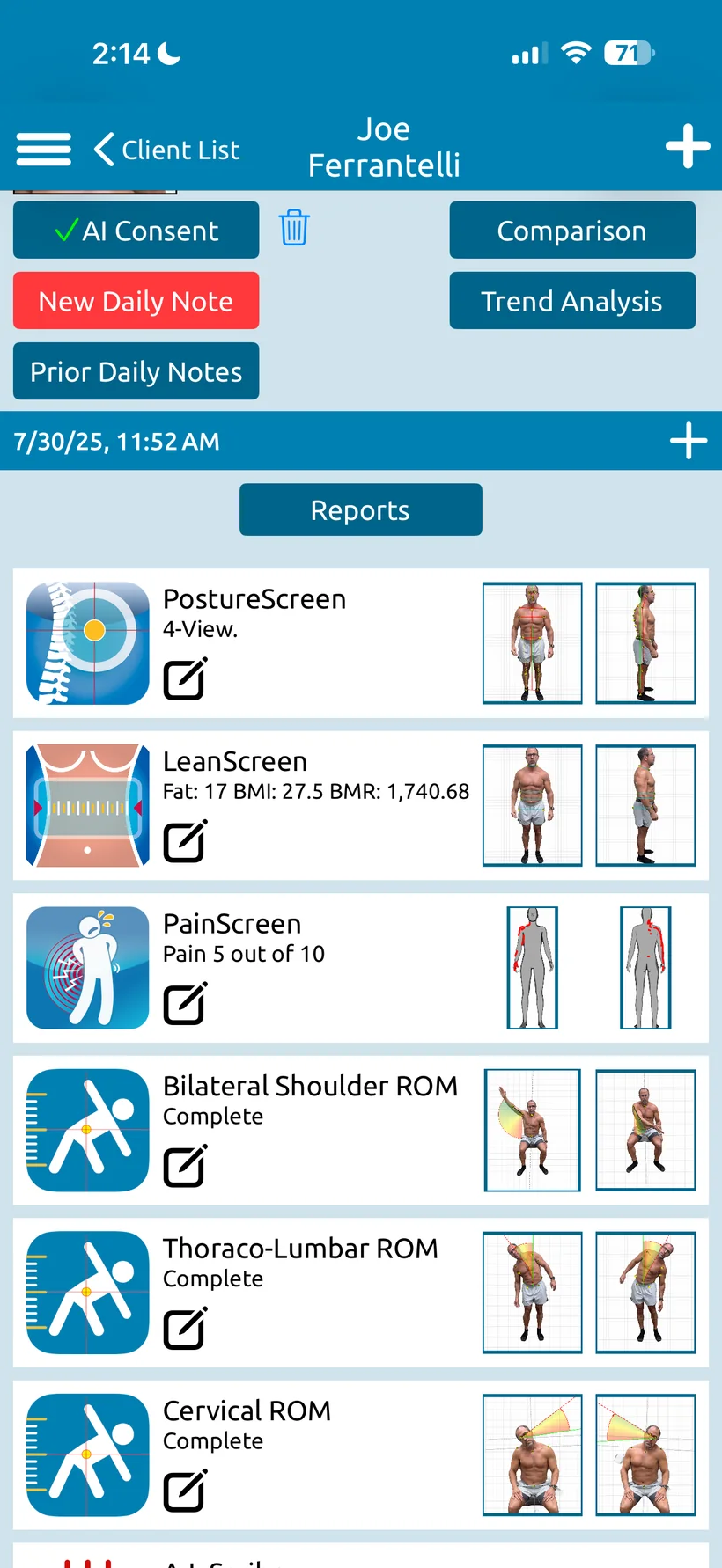
    Each PainScreen is listed with the client’s other assessments, showing the pain rating and the front and back diagrams at a glance.

  • 02

    Pain Diagram report

    A Pain Diagram report is one of the PDF reports PostureScreen® generates, alongside the posture, range of motion and LeanScreen reports.

  • 03

    Pain Diagram Comparison

    Compare pain diagrams between visits. Pain Diagram Comparison reports were added in PostureScreen® 14.2 (June 2024).

  • 04

    Pain with range of motion

    Thoraco-lumbar range of motion has its own pain button, added in PostureScreen® 14.6 (January 2025).

PostureCo’s software tools are intended for objective postural, movement, body composition, and radiographic measurement, documentation, and education purposes. They are designed for use by fitness professionals and licensed healthcare providers. These software tools are not medical devices and are not intended to diagnose, treat, cure, or prevent any disease or medical condition. All markings, landmark placements, and digitizations, whether manual or AI-assisted, must be reviewed and validated by the professional using the software. The user remains solely responsible for all interpretations, clinical judgments, diagnoses, and treatment decisions.


What your client sees

Where it hurts,
next to how they stand.

A pain diagram on front and back body outlines, kept with the posture exam and range of motion, so the whole picture is in one record and one set of reports.

  • The pain rating in the exam list, for example “Pain 5 out of 10”, beside the front and back diagrams.
  • Pain Diagram and Pain Diagram Comparison reports among the PostureScreen® sample reports.
  • Comparison and trend reports for the posture exam, from the same client record.
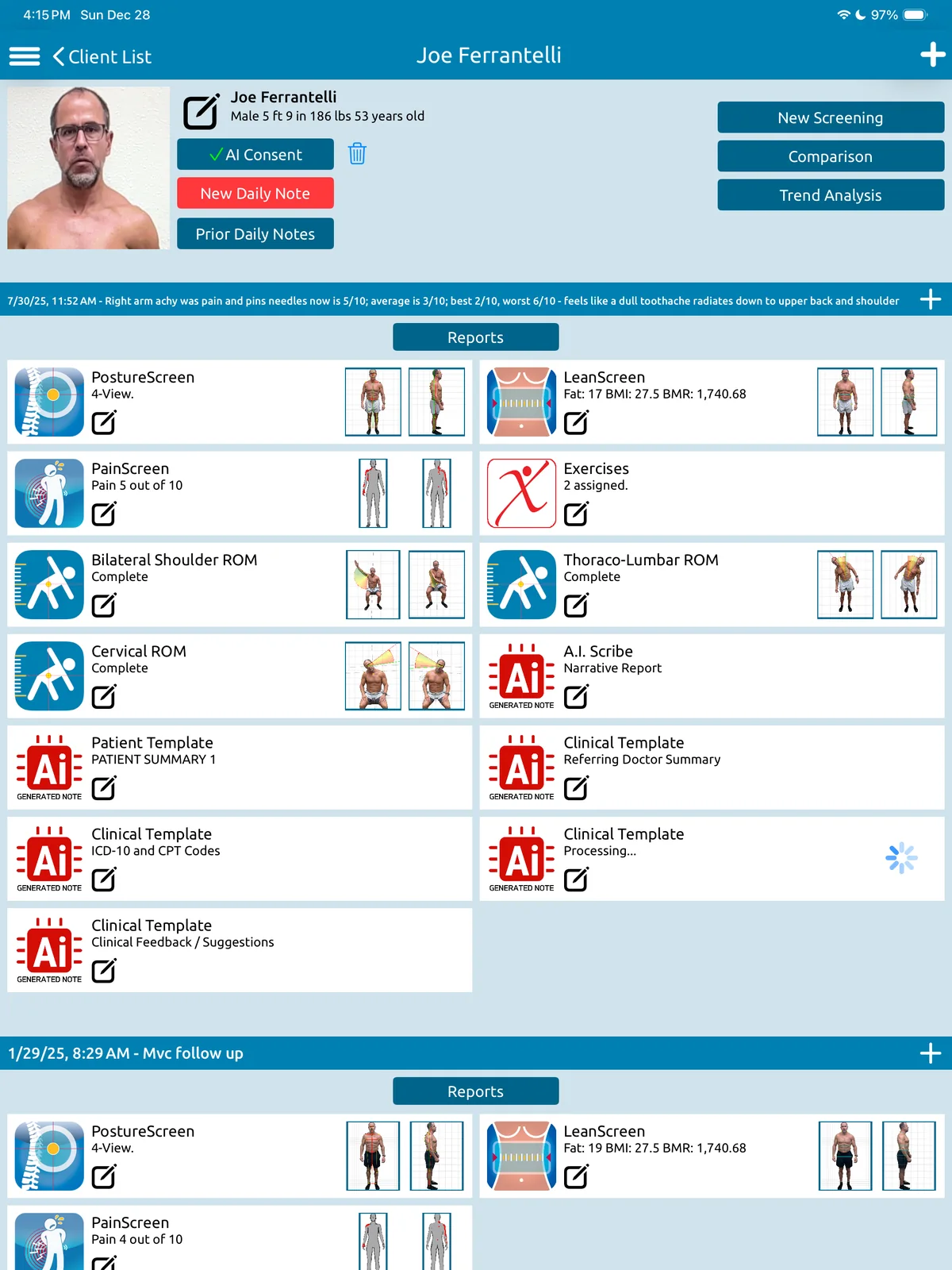
A client’s exam list on iPhone: PostureScreen 4-view, LeanScreen, PainScreen with “Pain 5 out of 10”, bilateral shoulder, thoraco-lumbar and cervical range of motion.
The PainScreen row in a client’s exam list: the pain rating, with front and back diagrams.

Watch

PainScreen, step by step.

A PostureCo™ walkthrough of the PainScreen pain diagram, on the iPad version of PostureScreen® (recorded with version 10.3).

PostureScreen® on iPhone and iPad

Runs on
iPhone and iPad, with iOS 26 or iPadOS 26 or later
To start
$59.99 USD, with 30 days of unlimited use
Then
$24.99 USD/month or $249 USD/year: the Unlimited Assessment Subscription unlocks all assessment modules
Devices
Up to 10 under the same Apple account

What’s included

Included with PostureScreen®.
Add more when you need it.

LeanScreen®, SquatScreen®, ROMScreen™ range of motion and SitScreen® are modules inside PostureScreen® on iPhone and iPad, included with PostureScreen®. RemoteScreen® and PostureScribe.AI® are add-on subscriptions, and PostureRay® is separate software.

Included with PostureScreen®

$59.99 USD to start, with 30 days of unlimited use. Then $24.99 USD/month or $249 USD/year for unlimited assessments.

Add-on subscriptions

+ Cloud Services

Remote photo and video assessments worldwide, in your client’s own browser, with nothing to download. Every result comes to you to verify first; clients never see results. Free for clients; you add Cloud Services, from $9.99 USD/month, with unlimited photo and video uploads (limited only by your storage). The AI-Guided Health History (USA only at this time) needs Cloud Services Platinum ($49.99 USD/month) or higher plus a PostureScribe.AI subscription, with up to 20 intakes per month on Platinum.

About RemoteScreen

The ambient AI scribe with your assessment data built in. $49.99 USD/month with an initial 7-day free trial; requires the Unlimited Assessment Subscription. USA only.

About PostureScribe.AI

Separate software

Windows-based X-ray analysis and documentation software for chiropractors, with its own license. PostureScreen® images can be pushed to PostureRay through the Virtual View Box.

About PostureRay

Straight answers

Questions, answered.

Still wondering? Call 866-577-7297 or send us a message.

What is PainScreen?

PainScreen is the pain diagram inside PostureScreen® on iPhone and iPad. Each PainScreen is saved in the client’s exam list beside their other assessments, with the pain rating and front and back body diagrams.

Which reports does PainScreen create?

A Pain Diagram report and a Pain Diagram Comparison report. Pain Diagram Comparison reports were added in PostureScreen® 14.2 (June 2024).

Does range of motion record pain too?

Thoraco-lumbar range of motion has a pain button, added in PostureScreen® 14.6 (January 2025).

How do I get PainScreen?

PainScreen is part of PostureScreen®: $59.99 USD to start, with 30 days of unlimited use. After that, the Unlimited Assessment Subscription ($24.99 USD/month or $249 USD/year) unlocks all assessment modules. See pricing

Research

Scientifically validated.
Professionally trusted.

Verified counts, as of October 2026.5 See every study

157
published studies have used or validated PostureScreen®
133
of them are peer-reviewed journal articles
62
publications on the PostureRay research page

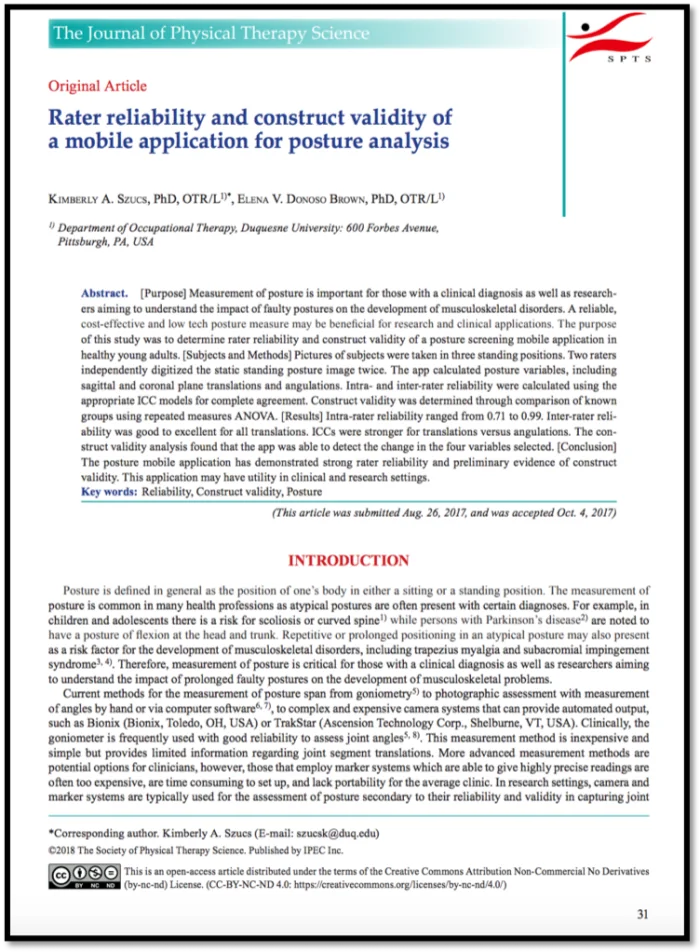
“The PostureScreen mobile application has demonstrated strong rater reliability and preliminary evidence of construct validity.”

Rater reliability and construct validity of a mobile application for posture analysis. J Phys Ther Sci, 2018

Save time. Gain clarity. Trust in every assessment.

Document pain beside posture, range of motion and body composition, in one PostureScreen® record on iPhone and iPad.