






PostureScreen Push to PostureRay System
Summary
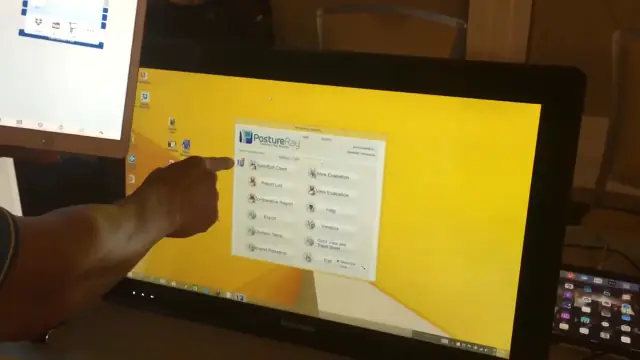
In this tutorial we will review how to integrate PostureScreen with version 20 (or later) of PostureRay.
Please note if you are pushing images and reports to your EHR directly from PostureScreen at this time, you may only choose to do so for clients that you meet outside the office. In the case here if you push from PostureScreen directly to PostureRay, the reports and images will also be within the PostureRay system. So if your EHR currently is integrated with PostureRay (such as Genesis) you may only need to push from the PostureRay system to your EHR.
Please note ONLY 1 iPad or iPhone can be paired with ONLY 1 PostureRay Workstation. You shouldn’t need more then one anyway even on a networked PostureRay system as the exams you push from the app to PostureRay will be available to all computers on the PostureRay Network.
This is ONLY available on the iOS versions of our applications.
 2:23
2:23
SETUP:
This video is no longer available on YouTube. If you need this tutorial, send us a message and we’ll point you to the current version.
Related articles
-
 PostureScreen for iPad & iPhone
PostureScreen push to custom 3rd party software
In this tutorial we will show you how to configure your PostureScreen (LeanScreen or SquatScreen to push via a specific URL to a 3rd party…
Video · 3:10
PostureScreen for iPad & iPhone
PostureScreen push to custom 3rd party software
In this tutorial we will show you how to configure your PostureScreen (LeanScreen or SquatScreen to push via a specific URL to a 3rd party…
Video · 3:10
-
PostureScreen for iPad & iPhone
Third Party Software Integration with PostureScreen, LeanScreen and SquatScreen
Our applications have the ability to send PDF documents and images securely to any URL. Once you have PostureScreen installed, go into…
2 min read
-
PostureScreen for iPad & iPhone
PostureScreen Push to PostureRay TroubleShooting
If you are having difficulties uploading directly from your PostureScreen iPad or iPhone app to your PostureRay system, please review…
2 videos · 4:214 min read
-
PostureScreen for iPad & iPhone
How to Manually Upload PostureScreen Images to Postureray
In this tutorial, we’ll review how to manually upload images from anywhere, with a specific focus on transferring images from…
Video · 5:423 min read
-
PostureScreen for iPad & iPhone
DropBox Folders – Find PDFs and Images
Many people have called and express that they are having problem locating the files they push (both images and PDFs) from PostureScreen…
1 min read
- PostureRay X-Ray EMR Change your Windows Computer from Public to Private Step-by-step PostureRay training for customers. Video · 1:28
Have a question?
Talk to the people who build PostureScreen and PostureRay.
PostureScreen support is by email. Live PostureRay support runs Monday through Friday, 9 AM–5 PM Eastern (excluding U.S. holidays).